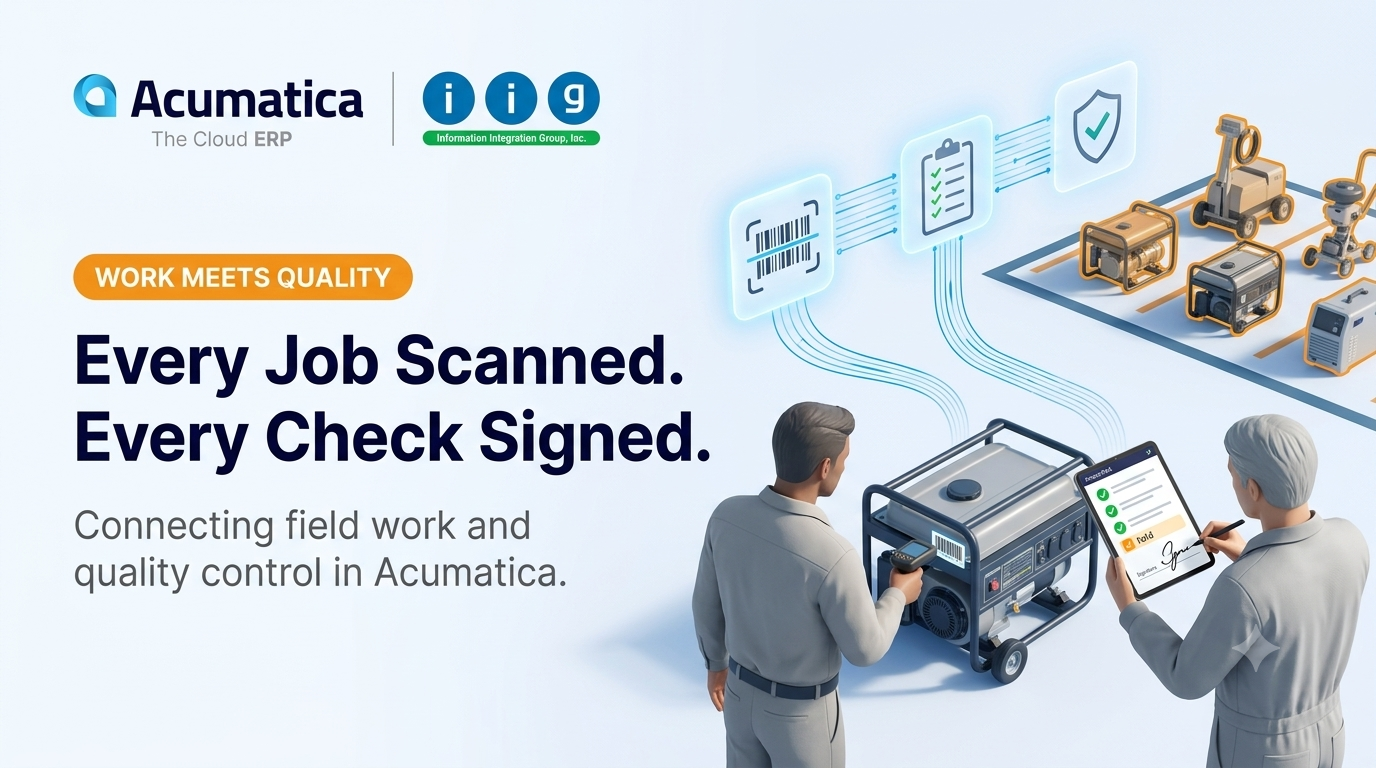
A rental generator leaves the yard on Monday. On Friday, it comes back with a cracked panel. Was the damage there before it left? Who checked it? Was it signed off? In too many businesses, the honest answer is "we're not sure."
That uncertainty is expensive. It leads to disputed damage charges, unsafe
equipment going back out on rent, repeated repairs, and frustrated customers.
The root cause is usually the same: the people doing the work and the people
checking quality are running on separate systems, or no system at all.
At Information Integration Group Inc. (IIG Services), we
help Acumatica users close that gap. Two IIG solutions for Acumatica Cloud ERP,
AcuWarehouse Order Entry and AcuQC (QC Processing),
support a more connected approach, where work is captured accurately at the
source and quality checks are tied directly to the transactions they belong to.
Why Work Execution and Quality Control Drift Apart
In equipment rental, distribution, and service businesses, work moves fast. Quality checks are supposed to happen at each step, but they often live on paper checklists, in someone's memory, or in a spreadsheet no one reviews.
When inspections aren't linked to transactions, problems follow. Uninspected
items can end up back in available stock. There's no reliable record of who
performed an inspection or what they found. Managers can't see which checks are
pending or complete, and accountability is difficult to establish.
Capturing Work Accurately With AcuWarehouse Order Entry
Quality starts with accurate transactions. If the wrong item or serial
number is recorded, even the best inspection process will be checking the wrong
thing.
AcuWarehouse
Order Entry brings fast, barcode-driven sales order entry to the warehouse,
showroom, or rental yard. Using Acumatica workstations or the Acumatica mobile
app, staff scan the order type, customer, warehouse, inventory item, and serial
number. Default values such as walk-in customer and warehouse load by scanning
predefined barcodes.
AcuWarehouse Order Entry creates Acumatica sales orders for
both pick-and-ship and one-step transactions and supports rental kits, rental
start and end dates, and metered rental items. Every order remains editable in
the standard Sales Orders or Invoices forms. When serial numbers are scanned
rather than typed, every inspection that follows is tied to the right unit.
Building Quality Into the Process With AcuQC
AcuQC lets companies define the specific inspections required for each stock item, by module. Inspection requirements can be set up for PO receipts, kit assembly, rentals going out and coming in, field service orders, scheduled services, and work orders.
Businesses can create their own QC codes, group tasks such as annual or highway safety inspections, and define what counts as a passing result. For received goods, companies can set the percentage of receipts to test, a reject threshold, and an option to skip inspection of a vendor's products for a set number of days after a receipt passes QC.
Where Order Entry and Quality Checks Meet
The strongest connection between the two solutions is in rental and kit workflows. Rentals processed through AcuWarehouse Order Entry, including rental kits, are exactly the kind of transactions AcuQC is designed to inspect, both going out and coming back in.
Equipment scanned onto a rental order can be inspected against a defined checklist before it leaves and again when it returns. If damage appears on return, there's a documented record of its condition at checkout, protecting both the business and its customers.
Inventory That Moves Only When Quality Is Confirmed
When a transaction with QC requirements is released, items requiring inspection move into a designated QC location. They stay there until all QC tasks are completed and approved, then return to the source transaction's location. Equipment that hasn't passed its return inspection can't slip back into rental inventory, and goods that haven't cleared QC can't be sold by mistake.
Issue Tracking and Accountability
AcuQC creates a separate task for each inspection and loads them into the QC Tracking Inspection form. Users set each task's status to Completed, Assigned, or Hold, giving managers an instant view of what's done and where issues are holding things up. Notes and attachments stay with each inspection record.
AcuQC can also print inspection sheets and capture the signature of the person performing the inspection, so there's always a clear answer to who checked what, and when. For businesses that assemble or manufacture, inspections can also be defined for AcuWorkorder routing steps, components, and finished goods.
The Business Impact
When work execution and quality control are connected, operations teams spend less time chasing paperwork, customers receive verified equipment, finance teams have documentation to support damage charges, and managers gain visibility into every inspection. For Acumatica partners, these solutions offer a practical way to help clients raise quality standards within the Acumatica screens their teams already use.
Frequently Asked Questions
What is AcuQC?
AcuQC is an Acumatica add-on from Information Integration Group Inc. that manages inspections by stock item and module, covering PO receipts, kit assembly, rentals, field service orders, scheduled services, and work orders.
How do AcuWarehouse Order Entry and AcuQC work together?
AcuWarehouse Order Entry captures orders, including rentals and rental kits, accurately using barcode scanning. AcuQC applies inspection requirements to those transactions, so quality checks are tied to the right items.
Make Quality Part of Every Transaction
When every order is captured accurately and every inspection is tied to the work it belongs to, businesses gain confidence, customers gain trust, and teams gain clarity.
Ready to connect field work and quality control in Acumatica? Talk to Information Integration Group Inc. today.
📞 (818) 956-3744
📧 sales@iigservices.com
🌐 www.iigservices.com